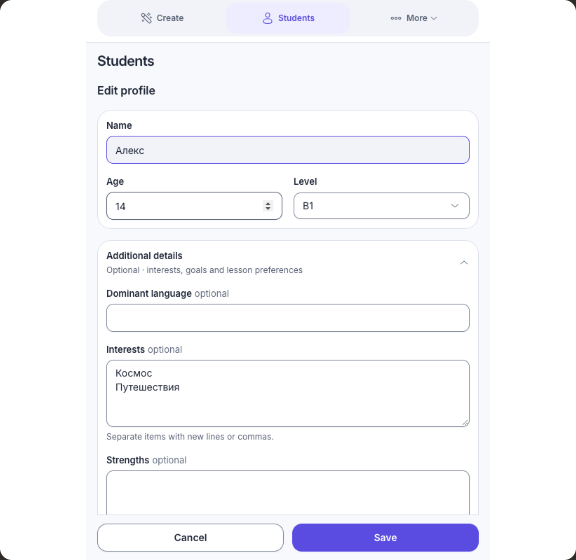
Save the student once
Age, level, interests and notes stay in the profile. Choose their name before the next lesson.
 RKI StudioPersonal Russian lessons
For RFL and bilingual Russian teachers
Activities based on age, level and interests. RKI Studio helps RFL and bilingual Russian teachers prepare a lesson in their preferred AI service.
Chrome extension · Free plan without registration
Chrome Web Store installation is not available yet.
Большое путешествиеA1Марк · 8 лет · A1 · Любит поезда и приключения
Прочитай билет, найди платформу и попроси билет у кассира.
Choose a student and try the activities. Compare the language, learning goal and discussion. Learning materials stay in Russian.
Three activities completed. Choose another student and compare the approach.
The extension assembles the preparation. You adjust the structure and review the finished lesson.
Age, level, interests and notes stay in the profile. Choose their name before the next lesson.
Adjust blocks and activity counts. Manual selection of activity mechanics requires Pro.
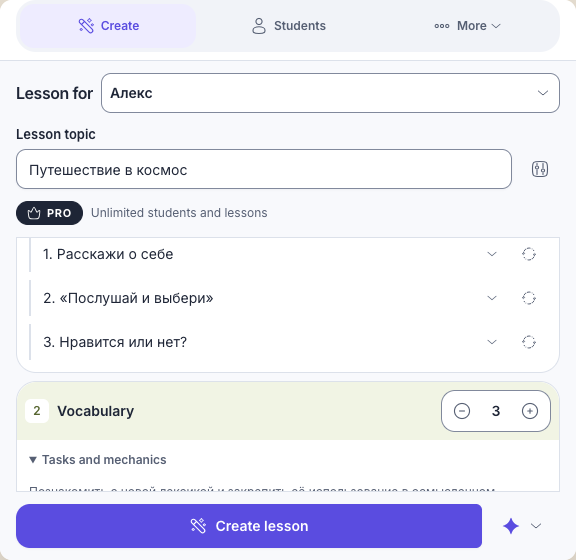
Open a new chat with the prepared prompt, send it yourself and review the material before teaching.
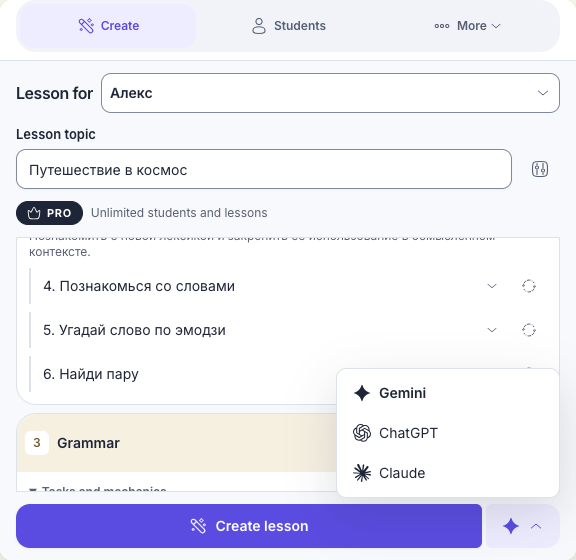
Requires an account in Gemini, ChatGPT or Claude. AI service subscriptions are billed separately.
Pro removes the limits and unlocks history, repeats, new variations and manual mechanic selection.
For getting started with a small practice
Free
For regular teaching across several groups
€5.90 / month
Both plans include local profiles, lesson structure, prompt preview and copying, and backups.
AI service subscriptions are not included.
An attempt is counted when a lesson preparation is saved, before insertion into an AI service. Insertion failure does not refund it; retrying insertion does not use another attempt. Deleting a lesson does not restore the limit. The limit resets at the start of the local calendar day. History, Repeat and New Variation require Pro.
AI still creates the lesson. The extension assembles the student context and lesson structure, saves the prepared prompt and helps you prepare the next lesson.
Your chosen AI service creates materials after you send the prepared prompt. Check the content and activities before teaching.
Free local features require no registration. You need an account with your chosen AI service, whose limits and subscriptions are separate. Google sign-in in RKI Studio is used for Pro.
Profiles and history stay in your browser. When you insert a prompt, its contents become available to your chosen AI service even before you send it. Review the text and remove unnecessary details.
Preview, edit and copy the prepared prompt, then paste it manually. Retrying insertion does not use another attempt.
Yes, by exporting and importing a JSON backup. There is no automatic cloud sync.
History, exact prompt repeats, new variations, the mechanics catalog and manual mechanic selection require Pro. Free includes structure, preview, copying, local profiles and backups within the stated limits.
Chrome Web Store installation is not available yet.